Product action
Browse free drum maps
Find supported drum libraries and kit mappings in the public BeatCodex catalog.
BeatCodex - drum MIDI mapping and translation for virtual drum libraries
BeatCodex is a drum MIDI mapping and translation tool that helps you convert MIDI drum parts across virtual drum libraries, Kontakt drum mapping targets, and DAW drum map formats.
A groove made for one drum library can fall apart in another: kicks become toms, hi-hats become crashes, and articulations disappear. BeatCodex fixes the drum articulation mapping layer.
MIDI-only. No drum sounds. Works with your existing drum instruments and samplers.

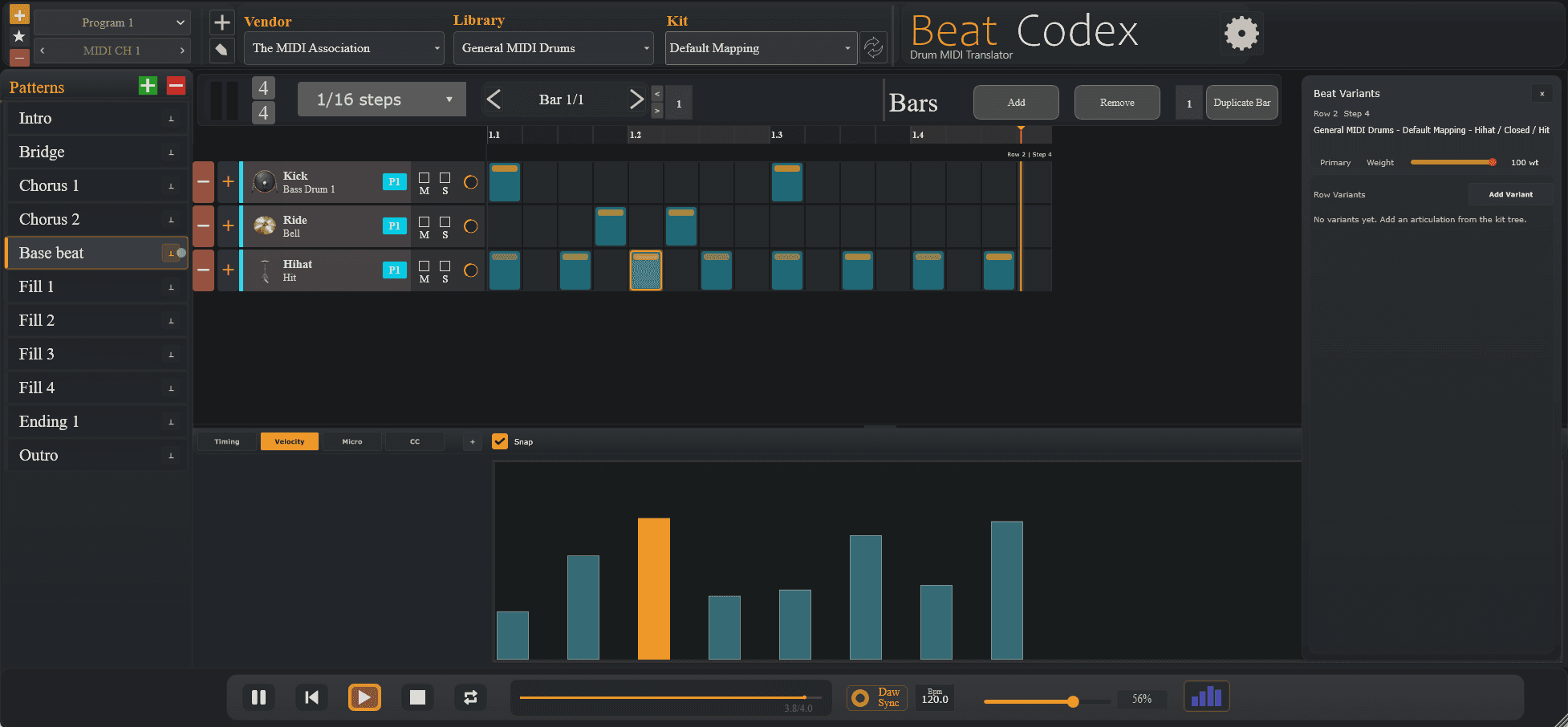
Current BeatCodex plugin build
Real MIDI pattern editing, drum mapping, velocity editing, and Beat Variants workflow.
Product
The site is built around the drum MIDI translation and mapping workflows you can use right now, not around a roadmap you have to wait for.
Product action
Find supported drum libraries and kit mappings in the public BeatCodex catalog.
Product action
Export mapping files for supported DAWs so drum lanes are easier to read and edit.
Product action
Tell us which drum library you need next so coverage grows around real user demand.
Product action
Submit missing notes, wrong articulations, or mapping fixes to improve the database.
Workflow
Drum MIDI often breaks when moved between libraries because notes and articulations do not match. BeatCodex fixes the virtual drum library mapping layer so your rhythm can survive kit changes.
Step 1
Drum MIDI
Step 2
BeatCodex map
Step 3
Target kit / DAW map
Step 4
Correct playback
FAQ
No. BeatCodex is MIDI-only. You still use your own drum sampler, virtual instrument, or drum library.
No. BeatCodex helps drum MIDI work across different libraries and DAW map formats. It is designed for mapping, translation, editing, and workflow control.
BeatCodex is in early public validation. The first maps are intentionally limited so they can be tested, corrected, and expanded with user feedback.
They are early-access exports being validated with users. Use them, test them, and report corrections if your DAW or library behaves differently.